
Recommended Services
Supported Scripts
AI Automation · Kalamata
AI automation for connected tools.
Plan volume and review.
An automation should make the source, action and outcome visible. Plan authentication, retries and the review of failed runs alongside the model prompt. Check execution limits, queues and review capacity when input volume increases.

A workflow your team
can understand and oversee.
Chat interfaces, workflow tools and reporting are considered within the existing business system, including people, permissions and data.




Automate a specific bottleneck first.

AI Chatbot Development
A chatbot needs reliable source information, a limited purpose and a clear handover when a person is needed.
Machine Learning
Pattern analysis and forecasting require suitable data and a defined business question. We assess both before proposing a model.


ChatGPT Integrations
Language models can assist with retrieval, drafting and enquiry routing when source material and review responsibilities are clear.
AI Workflow Automation
Forms, CRM updates, notifications and reports can be linked into a traceable workflow with explicit exception handling.

Measure the work.
Not the AI label.
We establish a starting point and agree what will be measured before the automation is released.
Execution time
Track the full process duration rather than the speed of one isolated automated step.
Manual steps
Count the entries and repetitive actions that still need a person.
Errors
Review the cases that need correction, not only the successful runs.
Workflow completion
Check whether the workflow reaches the intended result with the required human approvals.
A PRACTICAL STARTING POINT
Connect account requests without granting uncontrolled access.
An automated workflow can collect a request and prepare the administrative step. Access changes should follow the organisation’s permission and approval rules.
01 · Prepare
Define the audience, the information each role can see and the tasks that require a signed-in account.
02 · Verify
Use representative roles to check registration, sign-in, recovery and access to the intended information.
03 · Keep ownership clear
Document account ownership and the route for access questions, removals and role changes.
Illustrative sequence. The actual configuration and responsibilities follow the agreed requirements.
DELIVERY & OWNERSHIP
Plan the change around what is already in use.
Identify the live users, active records and dependencies that must keep working. Agree when a change can take place and how new activity will be handled during the transition.
01 · Prepare
Keep the manual fallback available while the automated process is evaluated.
02 · Verify
Compare the automated output with the manual result and test the fallback when a workflow step fails.
03 · Keep ownership clear
Retain the manual route during evaluation and assign ownership of exceptions and incomplete runs.
OUR WORK
Connected workflows in practice.
Examples of organised data and system integration.

BDS Travel
Tours and online reservations
We developed a website with online bookings for tours in Greece, connecting photographs and practical information with ticket purchasing.
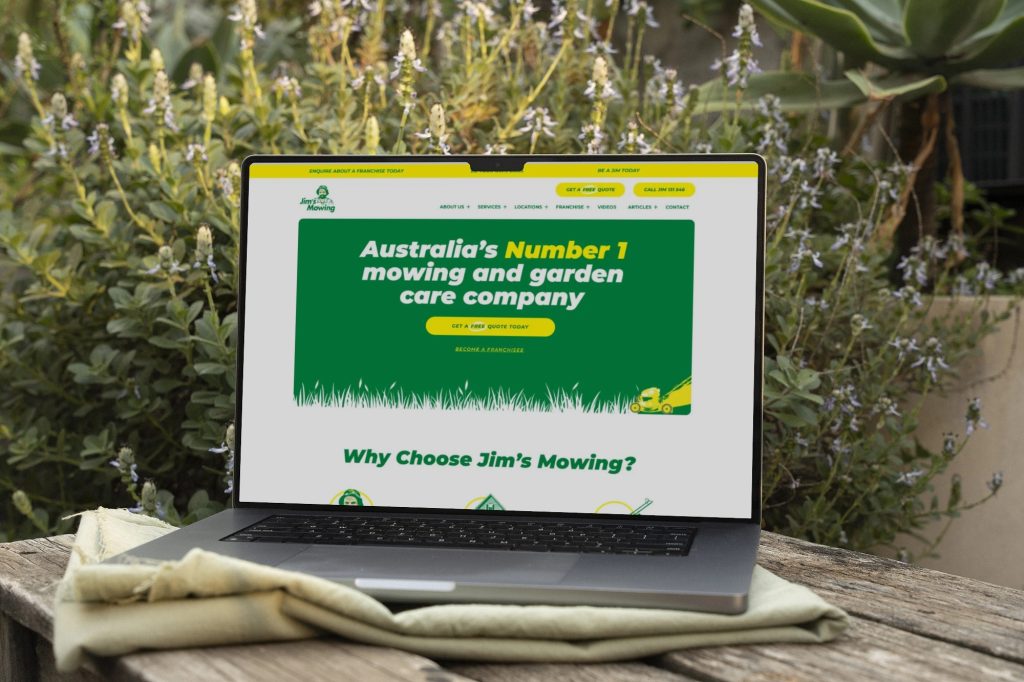
Jim’s Mowing
A business website with custom location tools
We developed the corporate website and a WordPress extension for presenting service areas, organising a large collection of local services within one manageable structure.
CONNECTED SYSTEMS AND TECHNICAL SUPPORT — CLIENT FEEDBACK
“They always deliver and are very creative with web design/development. They are absolute masters of WordPress. They have also been great with dealing with a large number of stakeholders within business.”
Joel K. · Jim’s Group
SERVICE AREA
For your audience in Kalamata.
Member journeys.
Automation for your business workflows in Kalamata. Make the team’s roles clear. Identify who supplies content and access, who approves work and who owns later changes.
Identify who approves outputs and who can change prompts, tools or permissions.
The map shows the area your project serves.
- Decision and source data
- Missing or late records
- Review of generated commentary
Kalamata
Show us the repeated task.
Tell us what your team does manually, which systems are involved and where the delays occur. We will discuss a realistic first scope.

PRACTICAL QUESTIONS
Before we agree the next step.
Questions about the work, the checks and the handover.
That is a poor default for important service, contractual or technical wording. Assign an appropriate language reviewer and keep source information and terminology available.
Use execution records and explicit completion or failure states. A generated answer alone does not prove that an external action succeeded. Verify the relevant system response.
Measure a defined task’s completion, time saved, errors and human review effort. Use the same inputs and success criteria before and after; output volume alone does not establish a useful result.
YOUR NEXT STEP
Use automation to prepare catalogue work for review.
Tell us what is changing, when it matters and what evidence you already have. We can assess the preparation that is actually justified.
Check execution limits, queues and review capacity when input volume increases.