
Recommended Services
Supported Scripts
AI Automation · Rotterdam
AI automation for repetitive tasks.
Record prompt changes.
Choose a bounded manual process and compare its time, error rate and review effort with the automated version. Include maintenance in the decision to expand it. Keep execution records, failure handling and prompt changes reviewable.

Automations need boundaries,
not just connections.
Chat interfaces, workflow tools and reporting are considered within the existing business system, including people, permissions and data.




Automate a specific bottleneck first.

AI Chatbot Development
A chatbot needs reliable source information, a limited purpose and a clear handover when a person is needed.
Machine Learning
Pattern analysis and forecasting require suitable data and a defined business question. We assess both before proposing a model.


ChatGPT Integrations
Language models can assist with retrieval, drafting and enquiry routing when source material and review responsibilities are clear.
AI Workflow Automation
Forms, CRM updates, notifications and reports can be linked into a traceable workflow with explicit exception handling.

Measure the work.
Not the AI label.
The evaluation compares the actual task before and after implementation, including failures and review time.
Execution time
Compare the time needed to complete the task, including approvals and corrections.
Manual steps
Count the entries and repetitive actions that still need a person.
Errors
Monitor failures, duplicate records and retries so recurring problems remain visible.
Workflow completion
Check whether the workflow reaches the intended result with the required human approvals.
A PRACTICAL STARTING POINT
Automate booking follow-up within agreed rules.
A workflow can connect a booking record with reminders or staff tasks. Keep the authoritative availability source and approval boundaries explicit.
01 · Prepare
Identify availability rules, required customer details and who can change a confirmed booking.
02 · Verify
Try an available slot, an unavailable slot and a cancellation. Check the customer message and the team’s own record.
03 · Keep ownership clear
Record the booking rules and the person responsible for capacity, cancellations and customer follow-up.
Illustrative sequence. The actual configuration and responsibilities follow the agreed requirements.
DELIVERY & OWNERSHIP
Confirm the dependency before building around it.
Identify the provider, available access and the functions the external service actually supports. Include licence or usage restrictions that could affect the proposed work.
01 · Prepare
Confirm tool access, model limitations and the external system’s actual response.
02 · Verify
Verify the connected tool’s response, including a rejected action, timeout or duplicate request.
03 · Keep ownership clear
Document integration credentials and the owner who reviews retries or external-provider failures.
OUR WORK
Connected workflows in practice.
Examples of organised data and system integration.
Jim’s Group
WordPress, bookings and connected systems
We developed a WordPress booking platform connected to the group’s management system, an Angular application for monitoring requests and a shared foundation for individual division websites.
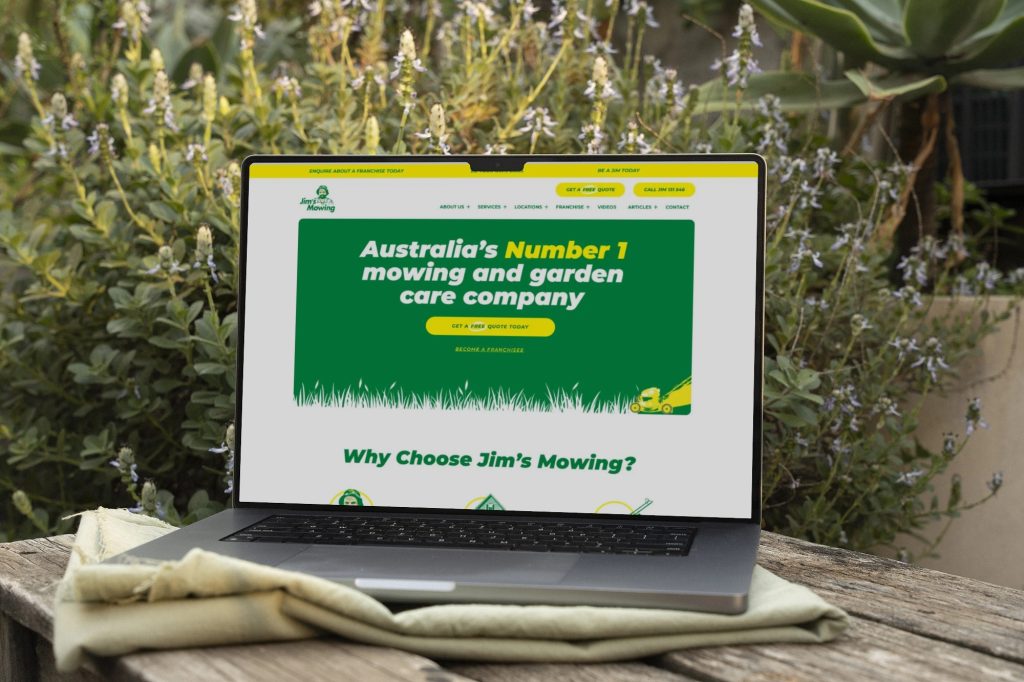
Jim’s Mowing
A business website with custom location tools
We developed the corporate website and a WordPress extension for presenting service areas, organising a large collection of local services within one manageable structure.
CONNECTED SYSTEMS AND TECHNICAL SUPPORT — CLIENT FEEDBACK
“They always deliver and are very creative with web design/development. They are absolute masters of WordPress. They have also been great with dealing with a large number of stakeholders within business.”
Joel K. · Jim’s Group
SERVICE AREA
For your audience in Rotterdam.
Replacing an existing journey.
Automation for your business workflows in Rotterdam. Plan for operation after delivery. Agree who handles routine changes and which additions need a separate piece of work.
Keep execution records, failure handling and prompt changes reviewable.
The map shows the area your project serves.
- Field mapping
- Access and duplicate checks
- Ambiguous inputs
Rotterdam
Show us the repeated task.
Share a recurring task and the tools it passes through. We will review whether automation is appropriate before proposing a solution.

PRACTICAL QUESTIONS
Before we agree the next step.
Questions about the work, the checks and the handover.
That is a poor default for important service, contractual or technical wording. Assign an appropriate language reviewer and keep source information and terminology available.
Measure a defined task’s completion, time saved, errors and human review effort. Use the same inputs and success criteria before and after; output volume alone does not establish a useful result.
Only within an explicitly authorised and validated process. A practical initial design often prepares the request for a person to approve rather than allowing the model to decide access.
YOUR NEXT STEP
Route enquiries with clear human checkpoints.
Bring one clear objective and the existing setup. We can identify a practical first step and the checks needed to accept it.
Start with a bounded workflow and explicit human approval points.