
Recommended Services
Supported Scripts
App Development · Toronto
Applications for internal tools.
Review account recovery.
An internal app can reduce repeated lookups when roles, authoritative data and sync rules are clear. Verify access to the existing systems before defining the build. Define record-level access, export permissions and account recovery behaviour.
- Web applications and portals
- Tools for your team and customers
- Connections to your existing systems

PURPOSE BEFORE TECHNOLOGY
Start with the job
the application must do.
We define the task, the people involved and the information they need before selecting technologies.
Customer portals
A controlled place for users to exchange requests, files and information.
Internal tools
Bring recurring approvals, assignments and updates out of disconnected emails.
Digital products
A focused first release that tests the core service before the product grows.
A FIRST RELEASE WITH A CLEAR PURPOSE
A defined first release.
Not an endless wish list.
The scope prioritises a complete core journey over a larger collection of unfinished features.
- Core user journey and user roles
- Features and data for the first release
- Dependencies on third-party services
- Testing and acceptance criteria
THE PROJECT PLAN
Turn requirements
into a working release.
- Goal—what needs to change for the user
- Workflow—how the core task is completed
- Data—what is stored and who can access it
- Release—what is delivered and how it is tested
DEVELOPMENT IN CLEAR STAGES
Review the work
before moving forward.
01
Discovery
We document user roles, required actions, data sources and practical constraints.
02
Prototype
We test the core screens and user journey before investing in the complete build.
03
Development
We deliver reviewable increments so feedback can influence the work while it is still in progress.
04
Testing & release
We check the release, organise deployment and clarify ongoing support responsibilities.
Connected applications.
Less duplicated information.
- CRM and customer service tools
- E-commerce and payment services
- Files, databases and reports
- APIs and automated updates
INTEGRATIONS THAT MAKE SENSE
Put the right record
in the right place.
Integrations are planned around record ownership, access and the direction of each update.
We identify third-party dependencies early so unavailable functions do not become a late surprise.
BEYOND THE FIRST RELEASE
Think beyond launch day.
Roles & access
Permissions specify which users may view or change each type of information.
Testing real workflows
Testing includes what happens when a request fails or the user does not follow the expected path.
Handover & maintenance
Your team should understand what has been delivered and how changes will be handled after release.
FREQUENTLY ASKED QUESTIONS
Questions before the first release.
They may need different views of the same records. Define each role’s tasks and access so the application presents the right controls without exposing unnecessary information.
We first review the code, documentation, dependencies and available access. We can then determine whether it makes sense to continue development, upgrade in stages or build a new solution.
It may coordinate them rather than replace them. Review their APIs, data ownership and limitations, and choose the smallest integration that supports the intended workflow.
We start with how the application will be used and choose the right approach: a web application, a responsive interface or a dedicated mobile app. The technology and any required app store distribution are set out in the proposal.
No. We need a description of the problem, the users and how the work is done today. Discovery turns that information into functional requirements.
A PRACTICAL STARTING POINT
Build an application that handles language deliberately.
Language can affect interface text, entered data, dates and notifications. Define which parts change and which records remain shared across versions.
01 · Prepare
List the languages, important terms and the person who can review each version. Separate translation from the decision to enter a market.
02 · Verify
Follow the same important journey in each intended language. Check navigation, forms and messages rather than the headline alone.
03 · Keep ownership clear
Assign responsibility for keeping language versions aligned when products, services or policies change.
Illustrative sequence. The actual configuration and responsibilities follow the agreed requirements.
DELIVERY & OWNERSHIP
Make the handovers understandable to the whole team.
List the people who provide information, approve changes and use the result. Separate everyday access from the ability to change important settings or publish material.
01 · Prepare
Model customer and staff permissions before choosing the application screens.
02 · Verify
Use the actual customer and staff roles to test visible information and permitted actions.
03 · Keep ownership clear
Provide account administration, recovery and role-change instructions for the operating team.
OUR WORK
Applications built around real tasks.
Selected work in bookings, portals and digital products.
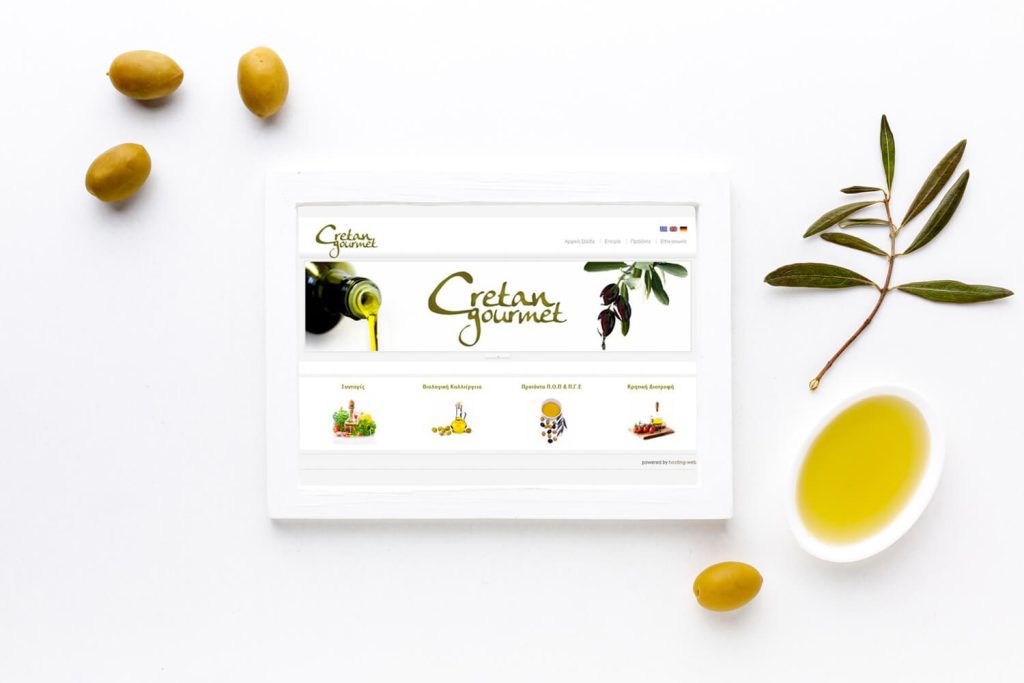
Cretan Gourmet
A bilingual online shop
We built a WooCommerce shop for Mediterranean products, with bilingual content, product categories and a mobile-friendly purchasing process for an international audience.

Barracuda
A large WooCommerce parts catalogue
We developed a WooCommerce store for an extensive parts and accessories catalogue, organising navigation and categories for desktop and mobile shopping.
IN OUR CLIENTS’ WORDS
“They always deliver and are very creative with web design/development. They are absolute masters of WordPress. They have also been great with dealing with a large number of stakeholders within business.”
Joel K. · Jim’s Group
SERVICE AREA
For your audience in Toronto.
Enquiries.
Applications for your team’s work in Toronto. Start with one clear objective. Agree the scope and the result that must be checked before the work is handed over.
Build one complete user task before extending the application’s feature list.
The map shows the area your project serves.
- Users doing the work
- Exceptions and approvals
- Ownership of notifications
Toronto
THE NEXT STEP
Tell us what you need
your application to do.
Start with the work that needs to happen, then we can discuss the right application.
YOUR NEXT STEP
Put permissions at the centre of the customer portal.
Explain who will use and maintain the result. We can make the responsibilities part of the scope from the beginning.
Model customer and staff permissions before choosing the application screens.