
Recommended Services
Supported Scripts
App Development · Los Angeles
Applications for spreadsheet replacement.
Complete the first useful task.
A custom app should make responsibilities and record changes easier to follow. Start with the handover that causes the most friction, including its exceptions. Build one complete user task before extending the application’s feature list.
- Web applications and portals
- Tools for your team and customers
- Connections to your existing systems

PURPOSE BEFORE TECHNOLOGY
A useful first version.
A clearer next decision.
The brief starts with a concrete problem rather than an assumed collection of features.
Customer portals
Give customers or staff access to the records and actions relevant to their role.
Internal tools
Organise a repeatable internal process with clear responsibilities and visible progress.
Digital products
Define the smallest useful version, with deliberate decisions about what comes later.
A FIRST RELEASE WITH A CLEAR PURPOSE
A defined first release.
Not an endless wish list.
The scope prioritises a complete core journey over a larger collection of unfinished features.
- Core user journey and user roles
- Features and data for the first release
- Dependencies on third-party services
- Testing and acceptance criteria
THE PROJECT PLAN
Turn requirements
into a working release.
- Goal—what needs to change for the user
- Workflow—how the core task is completed
- Data—what is stored and who can access it
- Release—what is delivered and how it is tested
DEVELOPMENT IN CLEAR STAGES
See what is ready.
Know what comes next.
01
Discovery
We document user roles, required actions, data sources and practical constraints.
02
Prototype
A prototype helps expose missing steps and confusing decisions early.
03
Development
Development proceeds through agreed stages, with demonstrations and functional checks.
04
Testing & release
Release planning covers testing, access, rollout and what happens after the first users arrive.
Connected applications.
Less duplicated information.
- CRM and customer service tools
- E-commerce and payment services
- Files, databases and reports
- APIs and automated updates
INTEGRATIONS THAT MAKE SENSE
Put the right record
in the right place.
We examine how the application exchanges information with CRM, payments, email and existing databases.
We identify third-party dependencies early so unavailable functions do not become a late surprise.
BEYOND THE FIRST RELEASE
A dependable release.
A maintainable next version.
Roles & access
Access rules are designed into the product rather than added after the interface is finished.
Testing real workflows
Core journeys are checked alongside failures, validation and alternative scenarios.
Handover & maintenance
We clarify documentation, fixes and future development before handover.
FREQUENTLY ASKED QUESTIONS
Questions before the first release.
Include the complete path for one useful task, including errors and staff handling. A long list of screens is less useful than a release that users can actually complete a job with.
Use filters that help users distinguish the products they need. Start from the catalogue data and representative search tasks, then test whether the controls improve the result.
We agree in advance on fixes, technical maintenance and future releases. Hosting, third-party service licences and ongoing development are listed separately, so the full scope is clear.
We start with how the application will be used and choose the right approach: a web application, a responsive interface or a dedicated mobile app. The technology and any required app store distribution are set out in the proposal.
They may need different views of the same records. Define each role’s tasks and access so the application presents the right controls without exposing unnecessary information.
A PRACTICAL STARTING POINT
Build the application around the request it must handle.
A useful app gives each request a clear status, owner and next action. Define the smallest complete journey before adding more screens.
01 · Prepare
Collect the services, common customer questions and the information needed to qualify an enquiry.
02 · Verify
Follow an enquiry from the visitor’s first action to the person who receives it. Check validation, confirmation and the response process.
03 · Keep ownership clear
Name the owner of incoming enquiries and keep the fields and recipient details documented.
Illustrative sequence. The actual configuration and responsibilities follow the agreed requirements.
DELIVERY & OWNERSHIP
Decide what information is actually required.
List the information used for the agreed task and who needs access to it. Avoid collecting extra records simply because a form or system makes it possible.
01 · Prepare
Define record-level access, export permissions and account recovery behaviour.
02 · Verify
Review record access, exports and recovery flows with suitable test data for each role.
03 · Keep ownership clear
Assign account ownership and the handling requirements that continue after the application is released.
OUR WORK
Applications built around real tasks.
Selected work in bookings, portals and digital products.

Diamond Protection
Business websites and training services
We brought together corporate websites, training content, course registration and communication materials, with a shared identity and a clear visitor journey.
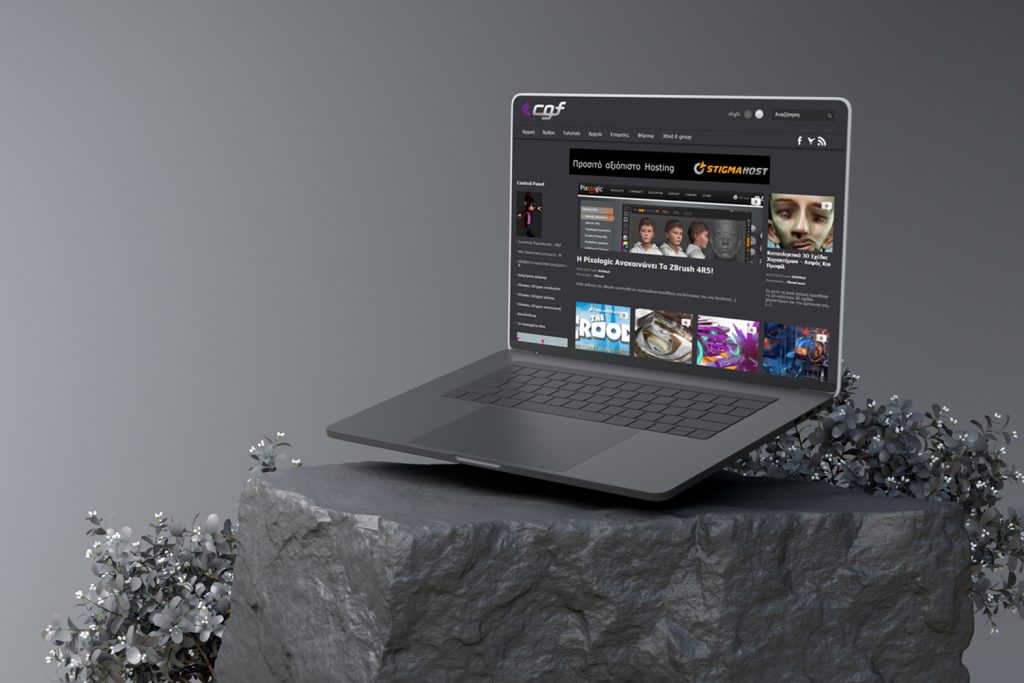
CGF
A community for digital creators
We built a WordPress community environment with discussions, educational content and media collections for sharing knowledge and presenting members’ work.
IN OUR CLIENTS’ WORDS
“Customers can now book services online, view our latest projects, and even get quotes. It’s clean, fast, and tough—just like a good engine. Couldn’t be happier.”
Nathan O. · Hot Metals Performance Moto Parts
SERVICE AREA
For your audience in Los Angeles.
Connected business tools.
Applications for your team’s work in Los Angeles. Discuss the records needed for daily operation, how information moves and who is allowed to use it.
Define record-level access, export permissions and account recovery behaviour.
The map shows the area your project serves.
- Available code and documentation
- Observed failures
- Repair versus replacement
Los Angeles
THE NEXT STEP
Tell us what you need
your application to do.
Describe the users, the problem and the outcome the first version must deliver.
YOUR NEXT STEP
Make bookings a coherent application workflow.
Show us the current service and what must continue working. We can discuss a controlled transition rather than an isolated replacement.
Plan record imports, user access and the transition from the existing workflow.