
Recommended Services
Supported Scripts
Web Design · Paphos
Web design for member journeys.
Retain useful content.
Account pages need clear labels, understandable states and an obvious way back to the task. A visual design should account for the experience after sign-in. Retain useful content, recognisable navigation and important existing URLs in a redesign.
- Business websites and redesigns
- Designed for mobile, tablet and desktop
- Content and structure you can manage

MORE THAN A GOOD-LOOKING SCREEN
Identity, information
and navigation that belong together.
A useful page explains the service, answers the next question and provides a clear route to an enquiry. That is the starting point for the design.
A clear message
Put the essential information where a first-time visitor can find it without searching through your entire site.
Intuitive navigation
Group services and supporting information into a navigation structure that follows the questions customers actually ask.
A recognisable identity
We carry your business identity through the website without sacrificing readability or ease of use.
WHAT WE DESIGN
Consistency beyond the homepage.
A strong first screen is only useful if the rest of the website follows through. We check the complete journey, including the small screens.
- Page structure and content hierarchy
- Core page designs and reusable components
- Responsive layouts and navigation checks
- Handover with guidance on managing your content
Business website
Present the company, its services and the evidence that helps a prospective customer decide.
Landing page
A dedicated page for one campaign, with an offer and a clear action.
Website redesign
Keep useful content and replace the structural problems that make the current site hard to navigate.
Project showcase
Show the work and explain the brief, decisions and outcome behind it.
FROM FIRST CONVERSATION TO HANDOVER
Good design starts
with the right questions.
Content and page priorities are agreed before we spend time refining individual visual details.
01
Goals & content
We review the offer, audience and available material, then define what the website must explain.
02
Structure & design
We set out the navigation, page hierarchy and visual approach for your review.
03
Build & testing
We build the agreed pages and test navigation, content and enquiry routes on different screens.
04
Handover & continuity
We review the finished pages together and explain how your team can maintain the content.
DESIGN + DEVELOPMENT
Designed for the visitor.
Practical for your team.
- Consistent buttons, forms and interaction states
- Readability and basic accessibility checks
- Working links and clear ways to get in touch
A FOUNDATION YOU CAN MANAGE
Your content.
Within your control.
We explain which areas you can update yourself and where a structural change needs development work.
Online payments, specialist forms and external integrations are scoped separately so requirements and costs stay clear.
BEFORE WE BEGIN
Your first questions, answered.
Only where those screens are in the agreed scope. Identify the relevant roles and states before design begins so the handover covers the journeys the application needs.
That can expose avoidable layout problems. Use representative translated content while designing, especially for navigation, headings and buttons, and have the wording reviewed by an appropriate language owner.
They may have design limits. Aim for a recognisable identity, clear wording and an understandable handover within the controls available, rather than promising changes the external platform cannot support.
No. Prioritise the areas with a clear usability or business reason. Retain effective information and important URLs, and review the transition rather than treating change itself as the objective.
Yes. We start with your current content, structure and the things that are not working. We agree on what stays, what changes and how to manage the transition.
A PRACTICAL STARTING POINT
Make the booking path easy to recognise.
A visitor should understand what they can book, how availability works and what comes next. Design the surrounding content to answer those questions before the form.
01 · Prepare
Identify availability rules, required customer details and who can change a confirmed booking.
02 · Verify
Try an available slot, an unavailable slot and a cancellation. Check the customer message and the team’s own record.
03 · Keep ownership clear
Record the booking rules and the person responsible for capacity, cancellations and customer follow-up.
Illustrative sequence. The actual configuration and responsibilities follow the agreed requirements.
DELIVERY & OWNERSHIP
Confirm the dependency before building around it.
Identify the provider, available access and the functions the external service actually supports. Include licence or usage restrictions that could affect the proposed work.
01 · Prepare
Account for the design limits of external booking, checkout or account tools.
02 · Verify
Check the transition from the website to its booking, account or checkout provider using the available design controls.
03 · Keep ownership clear
Document external design limits and the owner who can change the connected service.
OUR WORK
Design put into practice.
Different businesses. Specific requirements.
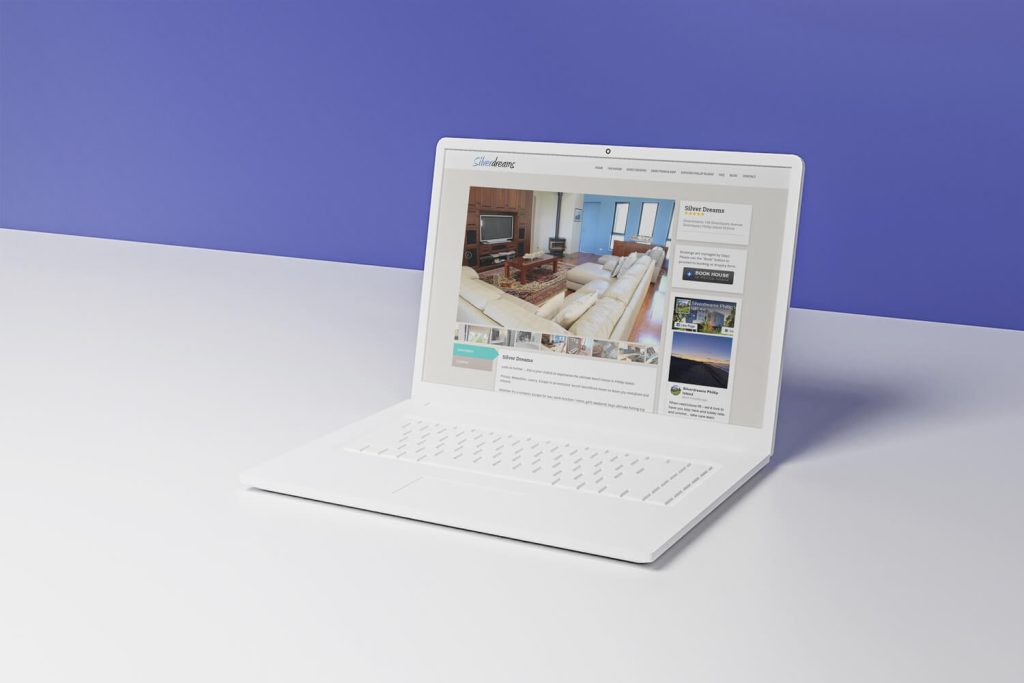
SilverDreams
Accommodation information and booking
We designed a responsive accommodation website with photography, local information and access to reservations, connecting the research stage with the decision to book.
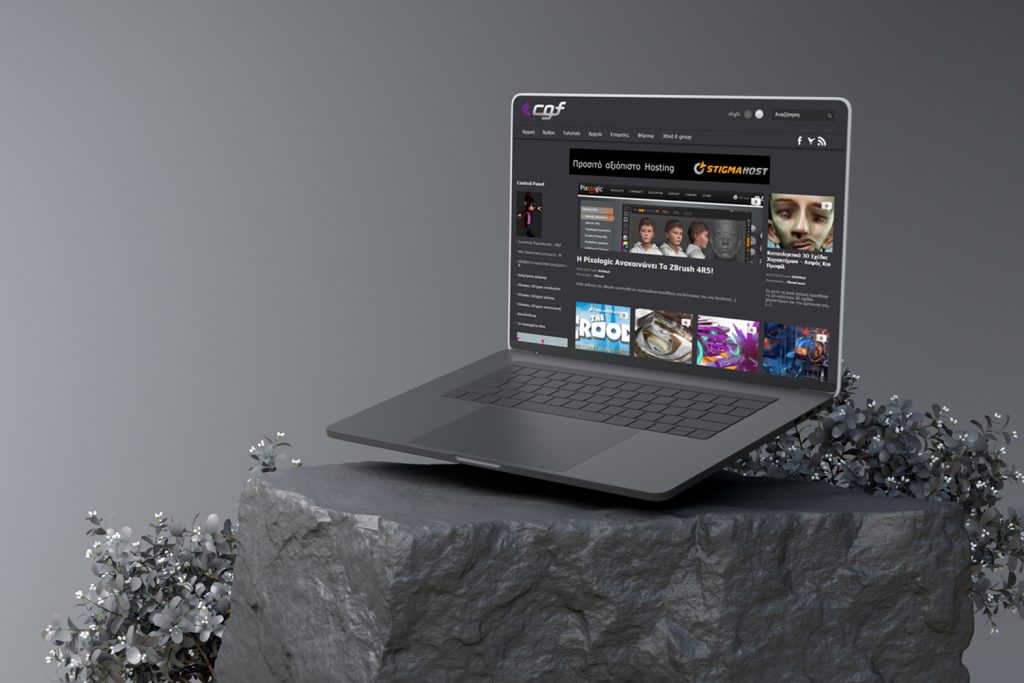
CGF
A community for digital creators
We built a WordPress community environment with discussions, educational content and media collections for sharing knowledge and presenting members’ work.
IN OUR CLIENTS’ WORDS
“Customers can now book services online, view our latest projects, and even get quotes. It’s clean, fast, and tough—just like a good engine. Couldn’t be happier.”
Nathan O. · Hot Metals Performance Moto Parts
SERVICE AREA
For your audience in Paphos.
Bookings.
The audience area does not describe the entire system. For work serving Paphos, also identify existing providers, external tools and other users affected by a change.
Retain useful content, recognisable navigation and important existing URLs in a redesign.
The map identifies the audience area. Project scope, collaboration and delivery are agreed around the business and its users; it does not imply a local office.
- Audience and offer
- Questions before an enquiry
- Form and confirmation message
Paphos
THE NEXT STEP
Tell us what needs to change.
Share your website address, your services and what you want to improve. We will discuss the scope before proposing the work.
YOUR NEXT STEP
Refresh the design while retaining useful structure.
Tell us how you expect the service to evolve and who will look after it. We can agree a handover that supports the next change.
Make content editing and future page additions understandable at design handover.