
Recommended Services
Supported Scripts
Web Design · Patras
Web design for a redesign.
Explain external transitions.
A redesign should address the confusing parts without discarding useful content and established journeys. Map what is retained before changing navigation. Account for the design limits of external booking, checkout or account tools.
- Business websites and redesigns
- Designed for mobile, tablet and desktop
- Content and structure you can manage

MORE THAN A GOOD-LOOKING SCREEN
Identity, information
and navigation that belong together.
Visual character matters, but so does the order of information. We build both into the page structure.
A clear message
Explain who you help, what you offer and why the service is relevant before asking the visitor to act.
Intuitive navigation
Connect the overview, detailed service pages and contact options so the visitor can move forward without losing context.
A recognisable identity
Typography, colour and imagery work as a system, with enough flexibility for future pages.
WHAT WE DESIGN
Consistency beyond the homepage.
A strong first screen is only useful if the rest of the website follows through. We check the complete journey, including the small screens.
- Page structure and content hierarchy
- Core page designs and reusable components
- Responsive layouts and navigation checks
- Handover with guidance on managing your content
Business website
Give visitors a concise introduction to your business, supported by useful detail rather than generic claims.
Landing page
Keep campaign visitors focused on the information they need to respond.
Website redesign
Reorganise an existing website around the business you operate today.
Project showcase
Show the work and explain the brief, decisions and outcome behind it.
FROM FIRST CONVERSATION TO HANDOVER
Agree the direction.
Then build the detail.
We make the important decisions visible early, so feedback can shape the work while changes are still manageable.
01
Goals & content
We review the offer, audience and available material, then define what the website must explain.
02
Structure & design
You see the proposed structure and design direction before the full build begins.
03
Build & testing
We build the agreed pages and test navigation, content and enquiry routes on different screens.
04
Handover & continuity
Handover includes a walkthrough of the editing setup and an agreed list of any remaining work.
DESIGN + DEVELOPMENT
Designed for the visitor.
Practical for your team.
- Consistent buttons, forms and interaction states
- Readability and basic accessibility checks
- Working links and clear ways to get in touch
A FOUNDATION YOU CAN MANAGE
Your content.
Within your control.
We explain which areas you can update yourself and where a structural change needs development work.
Online payments, specialist forms and external integrations are scoped separately so requirements and costs stay clear.
BEFORE WE BEGIN
Your first questions, answered.
Only where those screens are in the agreed scope. Identify the relevant roles and states before design begins so the handover covers the journeys the application needs.
That can expose avoidable layout problems. Use representative translated content while designing, especially for navigation, headings and buttons, and have the wording reviewed by an appropriate language owner.
They may have design limits. Aim for a recognisable identity, clear wording and an understandable handover within the controls available, rather than promising changes the external platform cannot support.
No. Prioritise the areas with a clear usability or business reason. Retain effective information and important URLs, and review the transition rather than treating change itself as the objective.
Yes. We start with your current content, structure and the things that are not working. We agree on what stays, what changes and how to manage the transition.
A PRACTICAL STARTING POINT
Make connected steps feel like one website.
A site may send visitors to a booking tool, portal or checkout. The design should explain that transition and make the next step clear.
01 · Prepare
List the systems involved, the records they exchange and which system owns each field.
02 · Verify
Check a successful transfer, a rejected input and a repeated submission. Confirm that failures can be found and reviewed.
03 · Keep ownership clear
Keep access ownership, change records and an agreed contact for failures between the systems.
Illustrative sequence. The actual configuration and responsibilities follow the agreed requirements.
DELIVERY & OWNERSHIP
Make the handovers understandable to the whole team.
List the people who provide information, approve changes and use the result. Separate everyday access from the ability to change important settings or publish material.
01 · Prepare
Identify who supplies copy, reviews the design and approves publication.
02 · Verify
Have the content owner and a representative visitor review headings, navigation and the intended action separately.
03 · Keep ownership clear
Record the approved design and who supplies copy, images and future page additions.
OUR WORK
Design put into practice.
Different businesses. Specific requirements.
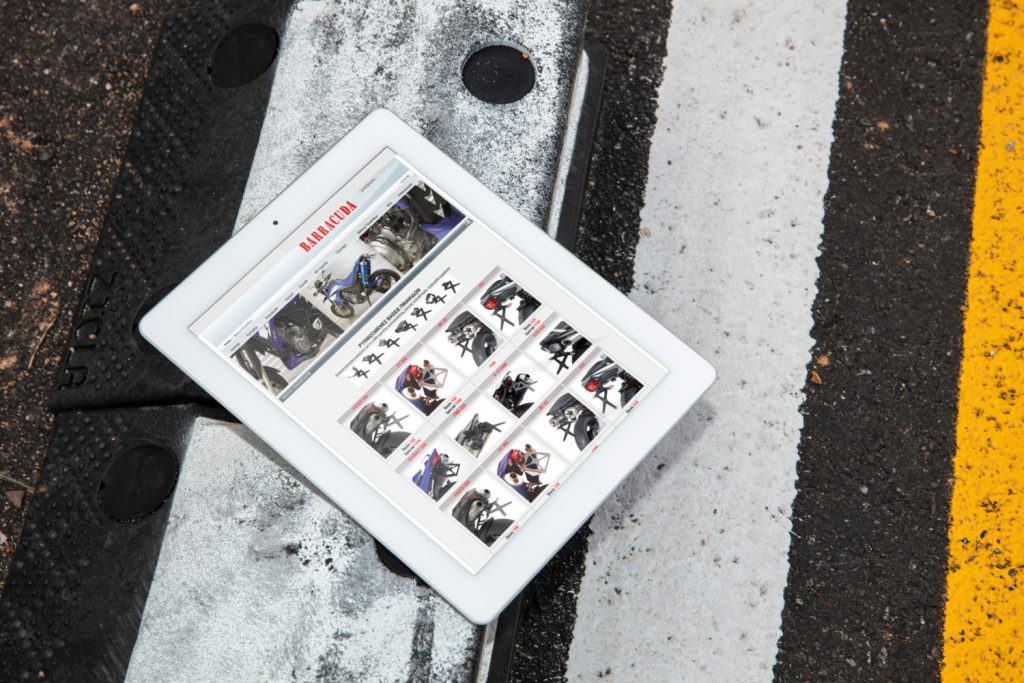
Barracuda
A large WooCommerce parts catalogue
We developed a WooCommerce store for an extensive parts and accessories catalogue, organising navigation and categories for desktop and mobile shopping.

Smart Computer
An online shop for technology products
We developed an e-commerce website with an extensive computing-products catalogue, focusing on discovery, comparison and a clear purchasing process.
IN OUR CLIENTS’ WORDS
“Their team is incredibly skilled and goes above and beyond to ensure everything runs smoothly. Our clients have noticed the difference, and so have we!”
Leslie A. · European Aluminum Systems
SERVICE AREA
For your audience in Patras.
More than one language.
For an audience in Patras, an external provider may sit elsewhere. Separate the audience location from the systems and suppliers required to deliver the service.
Account for the design limits of external booking, checkout or account tools.
The map identifies the audience area. Project scope, collaboration and delivery are agreed around the business and its users; it does not imply a local office.
- Audience and offer
- Questions before an enquiry
- Form and confirmation message
Patras
THE NEXT STEP
Let’s define your next website.
Share your website address, your services and what you want to improve. We will discuss the scope before proposing the work.
YOUR NEXT STEP
Make connected steps feel like one website.
Describe the information the service will handle and any known requirements. We can identify the technical decisions and the additional review needed.
Collect only the contact details the enquiry journey actually needs.